RQL in VS Code
The Bifrost VS Code extension recognizes .rql files as Bifrost RQL. RQL,
the Rune Query Language, is Bifrost’s experimental
S-expression frontend for structural query_code searches.
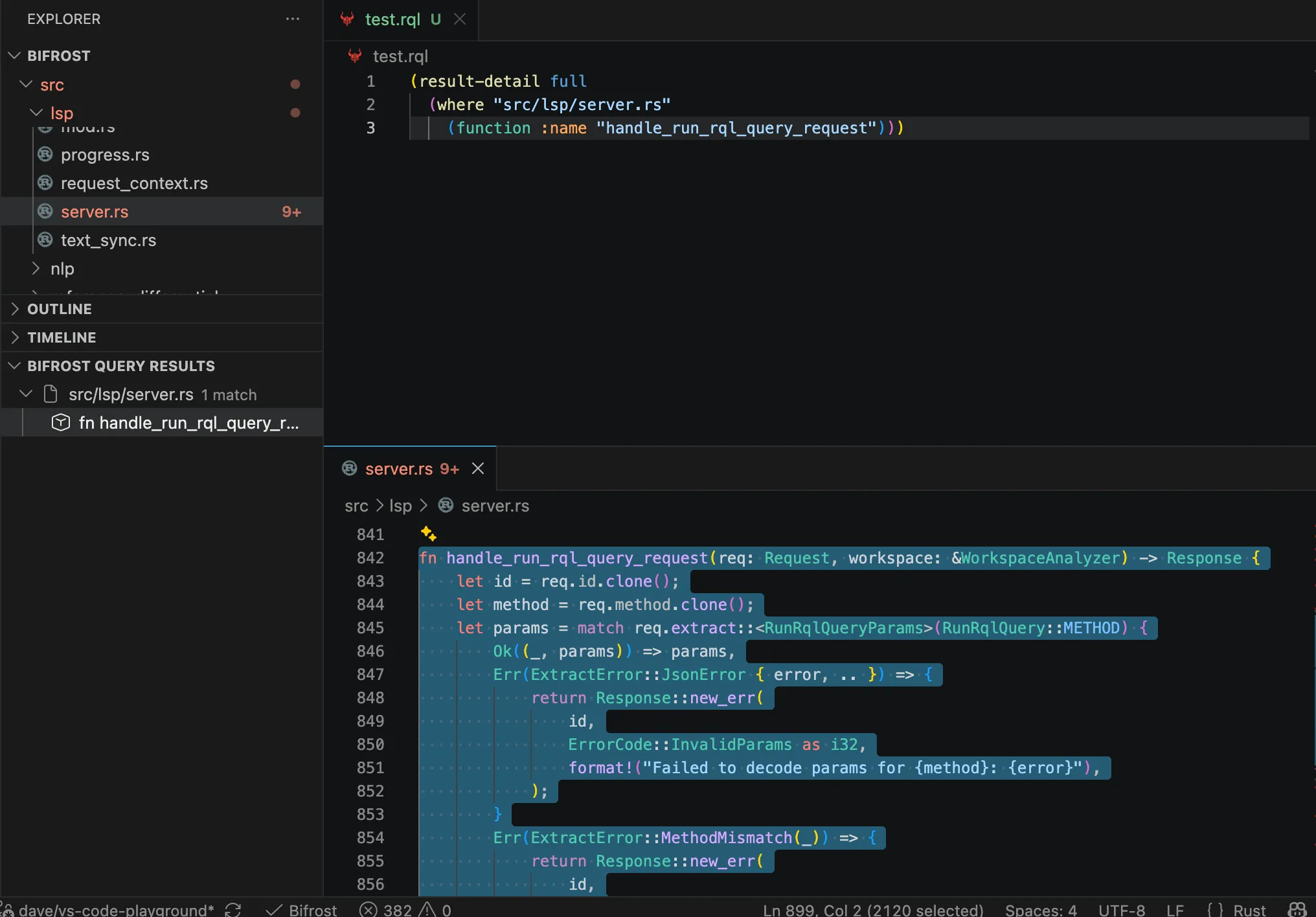
With the Bifrost language server running and indexed, use the Play button in an RQL editor title to execute the current document. Unsaved edits are sent to the active LSP session, so you can refine a query without first saving it.
This Play action is a VS Code language-server feature. It does not start an MCP server, expose query_code to an agent, or prove that an agent can run RQL. For agent access, configure a query-capable MCP toolset and use a saved workspace .rql file through query_file; MCP does not accept unsaved editor text or raw inline RQL. See MCP query and RQL availability.
(result-detail full (where "src/lsp/server.rs" (function :name "handle_run_rql_query_request")))The Bifrost Query Results Explorer view groups tagged structural-match,
declaration, and file results by path. Select a structural match or declaration
to open its file and highlight the source range; selecting a file result opens
the file at its first line. Pipeline wrappers such as enclosing-decl and
file-of therefore remain navigable from the same view.
Query Scope
Section titled “Query Scope”The query runs across every root indexed by the active Bifrost LSP session:
- all VS Code workspace folders by default; or
- the directories selected with
bifrost.roots.
The .rql file itself may live outside the workspace. Only the code searched
by the query is limited to the active indexed roots.
The Play action does not start Bifrost or wait for indexing. Start or restart
the language server first, then run the query once it is ready. Use
bifrost.serverPath to point the extension at a local Bifrost build during
extension development.
For the RQL syntax and REPL workflow, see Rune Query Language.